
The code
This code loops through all the pictures in a folder and, using the eye landmark features, adjusts the face(/s) in the image so that they are normalised in regard to rotation, translation, and scale representation of the face.
I.e. all the faces are:
- Centralised
- Eyes lining up horizontally
- Scaled to approximately equal
I wanted to normalise some pictures I took when I was regrowing my hair after shaving it off so I could make it into a nicer gif.
from imutils.face_utils import FaceAligner
from imutils.face_utils import rect_to_bb
import imutils
import dlib
import cv2
import os

# initialize dlib's face detector (HOG-based) and then create
# the facial landmark predictor and the face aligner

path_to_image =  r'C:\Users\jack\Desktop\JDHProjects\FaceAverage\facial-landmarks\images\jack1.jpg'


detector = dlib.get_frontal_face_detector()
predictor = dlib.shape_predictor("shape_predictor_68_face_landmarks.dat")
fa = FaceAligner(predictor, desiredFaceWidth=256, desiredFaceHeight=400)

# load the input image, resize it, and convert it to grayscale
#image = cv2.imread(path_to_image)
#image = imutils.resize(image, width=500)
#gray = cv2.cvtColor(image, cv2.COLOR_BGR2GRAY)

# show the original input image and detect faces in the grayscale
# image
#cv2.imshow("Input", image)
#rects = detector(gray, 2)


path = 'Faces/'
path1 = 'Faces/new'
counter = 0

for filePath in os.listdir(path):
    if filePath.endswith(".jpg"):
    # Read image found.
        image = cv2.imread(os.path.join(path,filePath));

        gray = cv2.cvtColor(image, cv2.COLOR_BGR2GRAY)
        rects = detector(gray, 2)

# loop over the face detections
        for rect in rects:
        	# extract the ROI of the *original* face, then align the face
        	# using facial landmarks
        	(x, y, w, h) = rect_to_bb(rect)
        	faceOrig = imutils.resize(image[y:y + h, x:x + w], width=256)
        	faceAligned = fa.align(image, gray, rect)


        	# display the output images
        	#cv2.imshow("Original", faceOrig)
        	#cv2.imshow("Aligned", faceAligned)
        	cv2.imwrite(os.path.join(path1 , (str(counter) + '.jpg')), faceAligned)
        	counter += 1
        	cv2.waitKey(0)
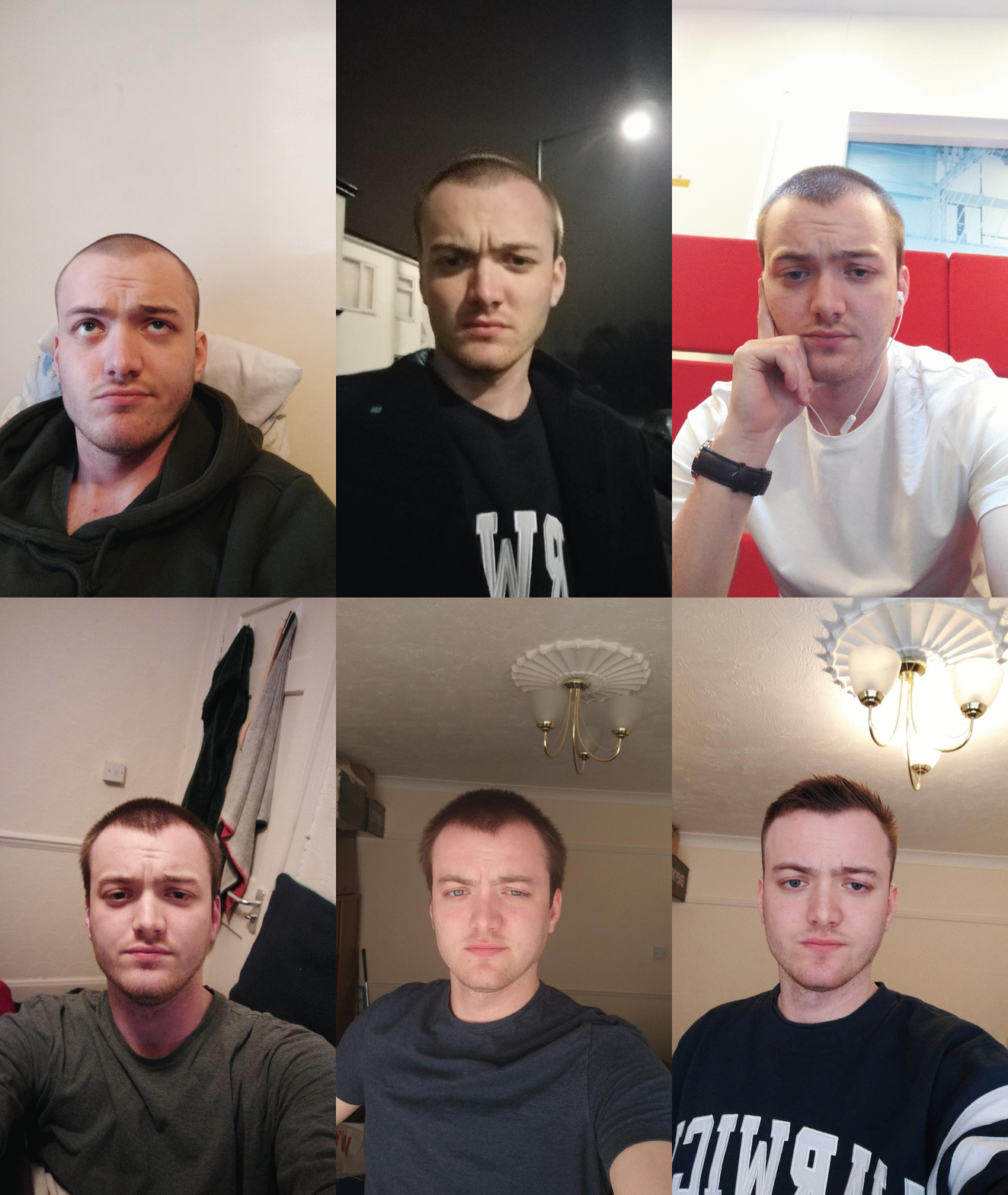
Before facial alignment.
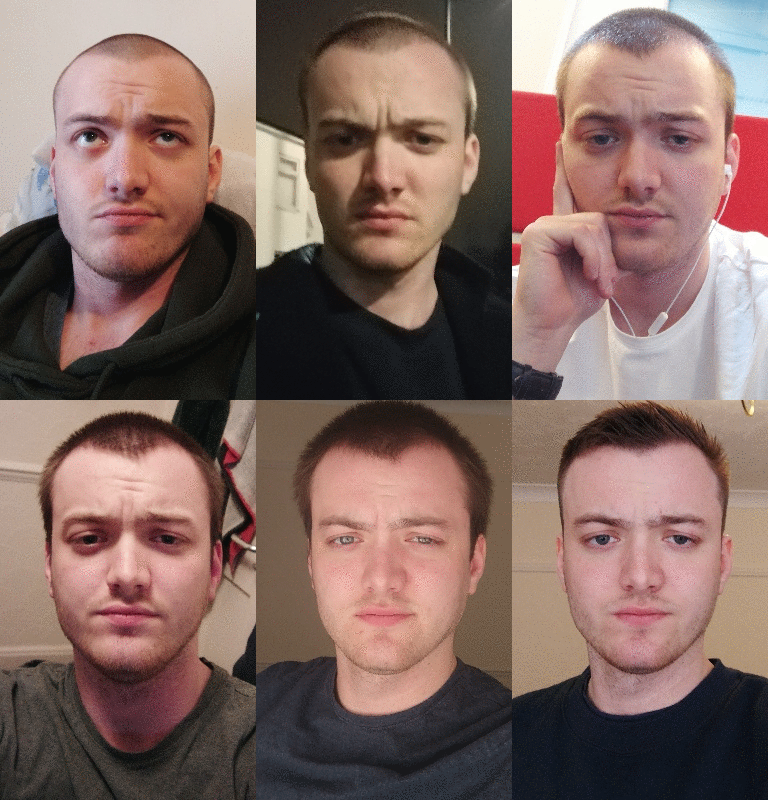
After facial alignment.